The Ultimate Guide to Planning a Conference in Seattle: AV and Event Planning Tips
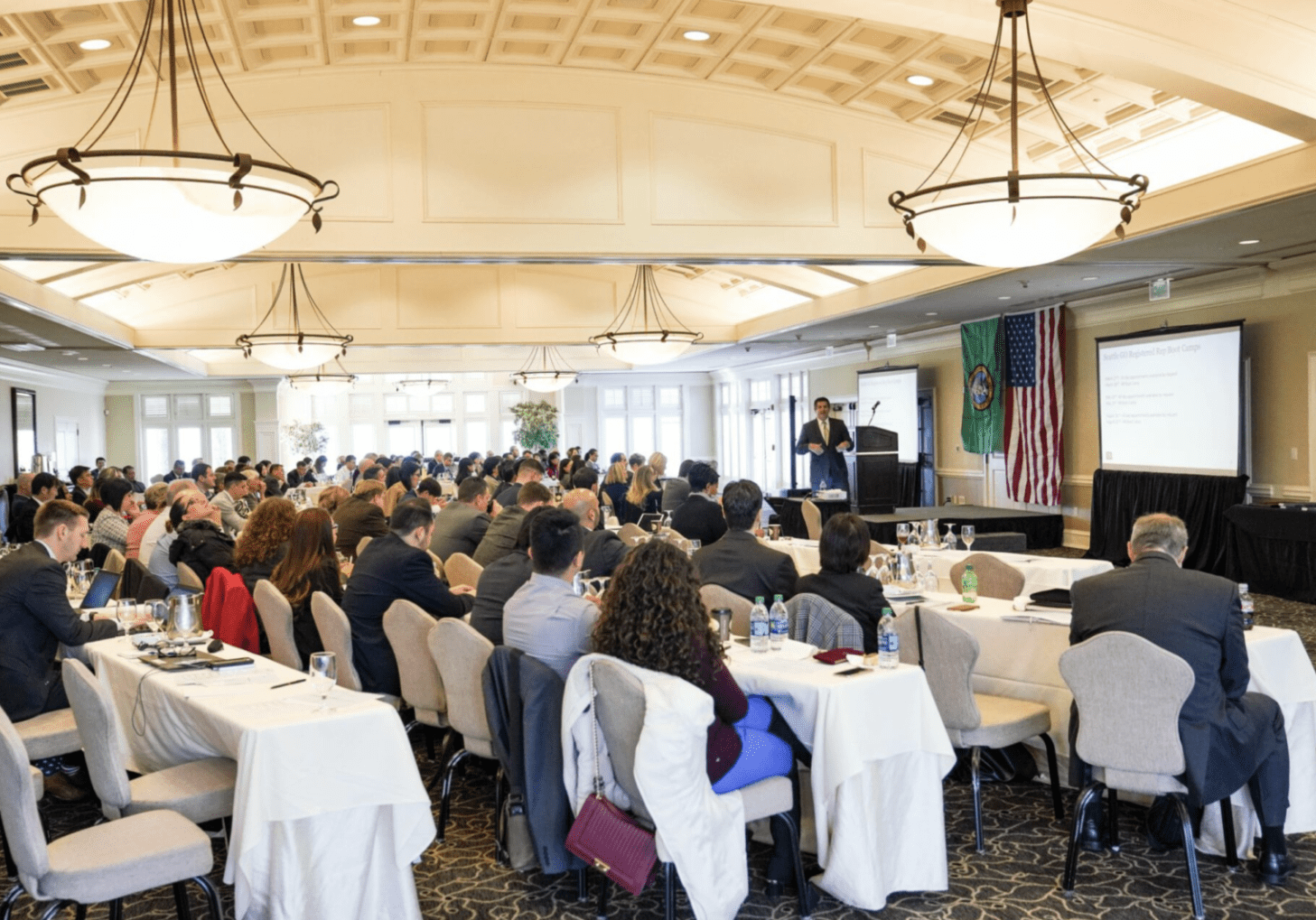
Planning a successful conference in Seattle takes more than securing a venue and building an agenda. The most effective conferences are built through thoughtful planning and a clear understanding of the attendee experience from start to finish.
Seattle continues to be one of the country’s leading destinations for medical conferences, corporate meetings, nonprofit events, and industry gatherings. The city offers world-class venues, strong hospitality infrastructure, and a vibrant business community.
At Live Oak AV, we’ve been supporting conferences, meetings, and live events throughout the Seattle area since 1999. In fact, we’ve partnered with the University of Washington’s medical conference programs for more than two decades.
Over the years, we’ve worked alongside event planners to deliver successful live, virtual, and hybrid events across the Pacific Northwest.
This guide combines many of the lessons we have learned while supporting conferences across Seattle for more than 27 years.
Start Planning Earlier Than You Think
One of the biggest factors in conference success is starting the planning process early. Bringing your AV team into the conversation from the beginning gives them time to identify potential challenges, coordinate with the venue, and help ensure everything runs smoothly on event day.
Seattle’s busiest event seasons are March – May and September – November, when venues, hotels, technical crews, and AV inventory book up quickly. Starting your planning early creates more flexibility throughout the planning process and allows event teams to make thoughtful decisions without feeling rushed. Considering holding your event during less busy times, such as in July or August will also give you more flexibility and leverage when finding vendors.
Early planning helps secure:
- Preferred venues and meeting spaces
- Hotel room blocks
- AV and production support
- Speaker schedules
- Staffing and labor coordination
- Transportation and logistics planning
It also gives production teams enough time to identify potential technical challenges before event day.
Choose the Right Venue for Your Conference
Venue selection influences nearly every aspect of the attendee experience.
Seattle offers a wide variety of conference venues ranging from waterfront hotels and convention spaces to industrial venues, museums, and corporate meeting spaces. Every venue has its own technical requirements, scheduling procedures, loading access, and setup limitations.
One of the most important steps during the planning process is scheduling a site visit walkthrough with your AV and production team.
Site visits help identify:
- Screen placement and projector throw distances
- Speaker placement and audio coverage
- Lighting needs
- Stage orientation
- Power availability
- Internet access
- Registration flow
- Breakout room logistics
- Load-in and strike access
Bringing your AV partner into the venue early helps avoid last-minute changes and creates a smoother setup process for everyone involved.
Check out our guide to some of our favorite event venues in Seattle: Our Favorite Event Venues in and Around Seattle
Your AV Team Needs More Information Than You Think
Audio visual teams work best when communication starts early, and details are shared clearly throughout the planning process.
Your AV team should understand:
- The goals of the conference: Understanding the purpose of the event helps shape the overall approach, attendee experience, and technical setup.
- Presentation requirements: Understanding how presentations will be delivered is critical. Will presenters bring their own laptops and advance slides themselves, or will presentations be collected and managed by the event planner or AV team?
- The audience size: Audience count impacts audio coverage, screen sizing, staffing needs, and room design.
- The room layouts: Room layouts affect projector throw distances, screen visibility, speaker placement, lighting positions, and camera angles.
- Presenter expectations: Knowing how presenters prefer to speak and move on stage helps determine microphone and staging needs.
- Video playback needs: Sharing video requirements early helps ensure smooth playback and proper formatting during the event.
- Live streaming requirements: Hybrid and live streamed events require additional planning for cameras, audio, and remote audience engagement.
- Recording plans: Evergreen content drives engagement, and recording the session(s) for future use impacts camera placement, audio capture, and staffing requirements.
- Breakout session schedules: Detailed breakout schedules help AV teams coordinate equipment and room turns efficiently.
- Branding and presentation expectations: Sharing branding guidelines early creates a cohesive visual experience throughout the conference.
- Venue access times: Sharing information about early access, setting the day before, and “hard out” event times is critical to accurate delivery and labor scheduling.
Even small details can impact technical planning, such as selecting the correct microphone, room layout, venue shape and style, audience interaction, and stage movement.
For a deeper look at the types of questions AV teams ask during conference planning, read our guide: Speaking AV: A Guide for Event Planners
You can also explore: Building the Perfect Event: 10 Points to Discuss With Your AV Team
Build the Conference Schedule Around the Attendee Experience
Strong conference schedules create a balance between education, networking, movement, and downtime. A well-paced agenda helps maintain energy throughout the event while improving engagement and retention.
Successful conference schedules often include:
- Clear session transitions
- Well-timed breaks
- Opportunities for networking
- Interactive sessions or Q&A
- Comfortable meal timing
- Breakout sessions long enough for AV changes and resets, if needed
The attendee experience also extends beyond the content itself. Lighting, sound quality, signage, registration flow, room comfort, and screen visibility all influence how attendees experience the event.
Prepare Presenters Before Event Day
Presenter preparation plays a major role in the overall success of a conference. Giving presenters clear guidance ahead of the event facilitates smoothly-run sessions while creating a better experience for both in-person and remote attendees.
Important questions to discuss with presenters before the conference include:
- Will the presenter use a handheld, lavalier, or headset microphone?
- Will the presenter remain at a podium or move around the stage?
- Will the presenter send their presentation in advance or bring their own laptop?
- If bringing a laptop, what type of device and video adapters will be needed?
- Are there videos embedded in the presentation slides?
- Does the presenter need a confidence monitor or timer visible on stage?
- How much time is allocated for the session and audience Q&A?
- Will any remote presenters or virtual attendees be participating during the session?
- Does the presenter understand where cameras and stage lighting will be positioned?
- Has the presenter participated in a rehearsal or technical walkthrough before the event?
Collect Presentations Before Event Day
Whenever possible, collect presentations, videos, and slide decks before the event rather than having presenters connect their own laptops on stage. Advance collection allows the AV team to test presentations, verify video playback, confirm fonts and formatting, and reduce delays between sessions.
When presenters use their own devices, additional planning is required. The AV team will need to run presentation cables to the podium, verify adapter compatibility, test laptop outputs, and troubleshoot unexpected technical issues. Knowing these requirements ahead of time helps create a smoother experience for presenters and attendees alike.
Require a Rehearsal
Encouraging presenters to rehearse in advance reduces timing issues and improves comfort with microphones, stage layouts, and presentation technology.
For hybrid and live streamed conferences, presenter preparation becomes even more important. Speakers should understand how remote attendees will interact with the session and where cameras, monitors, and audience engagement tools are positioned.
At Live Oak AV, we recommend scheduling dedicated presenter rehearsals and technical walkthroughs whenever possible. These prep sessions identify potential issues early while giving speakers more confidence before going live.
For additional presenter prep tips, read:
How to Prep Your Presenters for Fall Conferences
Hybrid Conferences Require Intentional Planning
Hybrid events continue to play a major role in modern conference planning.
Organizations increasingly want to create experiences that support both in-person and remote attendees. A successful hybrid conference requires thoughtful planning for both audiences from the very beginning.
Strong hybrid event planning includes:
- Dedicated live stream set-up
- Camera placement planning
- Remote presenter coordination
- Audio mixes designed for online viewers
- Audience engagement tools
- Recording and post-event content delivery
- Backup communication systems
One of the biggest hybrid event mistakes happens when virtual attendees are treated as passive viewers instead of active participants in the conference experience.
At Live Oak AV, we encourage planners to include the remote audience experience in the initial event planning stages.
For additional hybrid event planning insights, read: Is Your Hybrid Event Set Up for Success? Here’s What to Watch For
Communication Is One of the Most Important Parts of Conference Planning
The strongest conferences are built through collaboration and communication between planners, venues, AV teams, speakers, and production partners.
Detailed production schedules, room diagrams, setup timelines, and run-of-show documents help everyone stay aligned throughout the event process.
Consistent communication empowers teams to adapt efficiently as schedules evolve or production needs shift leading up to, or during, the conference.
Work With Local Seattle Event Partners
Local expertise makes a major difference during conference planning and production.
Live Oak AV is a locally owned and operated Seattle AV company that has supported conferences and events throughout the region since 1999. We partner with conference planners, venues, production teams, and organizations to support events throughout Seattle and the Pacific Northwest.
Our team provides:
- Conference AV support
- Live, hybrid, and virtual event AV production
- Audio, video, and lighting systems
- On-site technicians
- LED walls and displays
- Equipment logistics
- Venue coordination
- Technical production support
- Warehouse storing and staging of equipment
We believe successful conferences are built through thoughtful planning, strong partnerships, and clear communication from start to finish.
Reach out to our team to get a quote for your next conference.
Frequently Asked Questions
How far in advance should you plan a conference in Seattle?
For larger conferences, planning one year in advance is ideal. Early planning is critical in securing venues, hotel blocks, AV support, staffing, and technical resources before busy event seasons fill up.
Why should AV teams be involved early in conference planning?
Bringing in the AV team early helps identify room layout considerations, projector throw distances, speaker placement needs, power requirements, internet planning, and hybrid production logistics before and during event day.
What should conference planners discuss with their AV team?
Conference planners should discuss room layouts, audience size, presentation needs, microphones, live streaming, recording, internet requirements, stage design, and event schedules with their AV team as early as possible.
Should presenters send their presentations before the conference?
Yes. We recommend collecting presentations before the event rather than having presenters connect their own laptops during sessions.
Receiving presentations in advance allows the AV team to test the presentation and identify potential issues before attendees arrive. It also helps sessions start on time and reduces delays caused by missing adapters, connection problems, or last-minute troubleshooting.
If presenters prefer to use their own laptops, the AV team needs to know in advance so they can plan for cable runs, adapter requirements, and additional testing before the presentation begins.
What is the biggest mistake in hybrid conference planning?
One of the most common challenges is treating remote attendees as passive viewers instead of designing the event experience for both in-person and virtual audiences from the beginning.
Why is local AV support important for Seattle conferences?
Seattle venues, scheduling procedures, transportation logistics, and technical workflows vary significantly depending on the location and event type. Local AV teams have worked at event venues across Seattle and help planners navigate those details efficiently throughout the conference process.
What AV equipment is needed for a medical conference?
Medical conferences often require more advanced audio visual support than standard business meetings. Presenters may need to display high-resolution medical images, project surgical procedures onto large screens, share live demonstrations, connect specialized medical devices such as ultrasound or sonogram machines, or stream content to remote attendees.
The exact equipment depends on the conference agenda and educational objectives. Working with an experienced AV team helps ensure the right equipment is selected, tested, and integrated before the event begins.
Are there special AV considerations for medical conferences?
Yes. One of the most important steps is making sure your AV team understands the subject matter and technical requirements of each session well before the event.
Medical presentations often involve unique content and equipment that require additional planning. The more information your AV team receives during the planning process, the better they can recommend equipment, prepare the room setup, and ensure a smooth experience for presenters and attendees.